 CabQ
Looking for your shop's CabQ? It has moved to its own address. Open it, sign in, and add it to your home screen again. gcw.cabq.app
Online ordering for your cabinet shop and its dealers
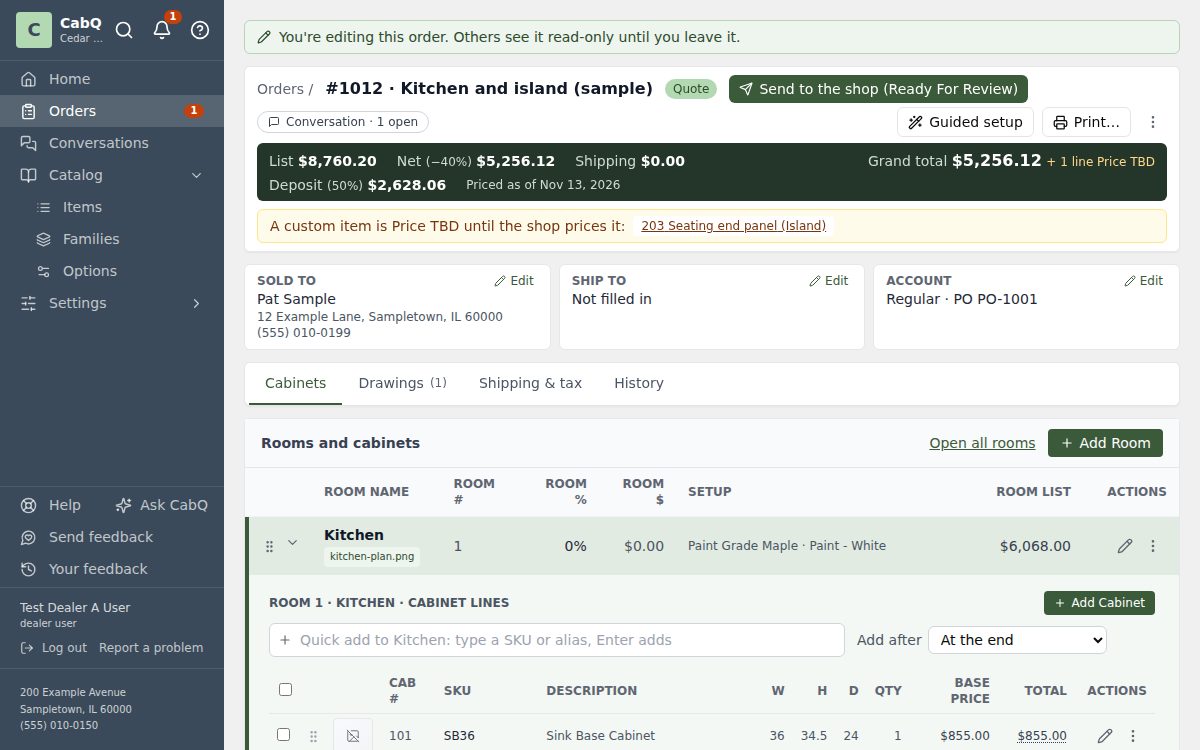
Your dealers build cabinet orders room by room, priced from your catalog as they go. Your shop reviews, prices, tracks and builds them, with one conversation per order and nothing retyped.
What CabQ does
Everything listed here is in CabQ today.
For your dealers
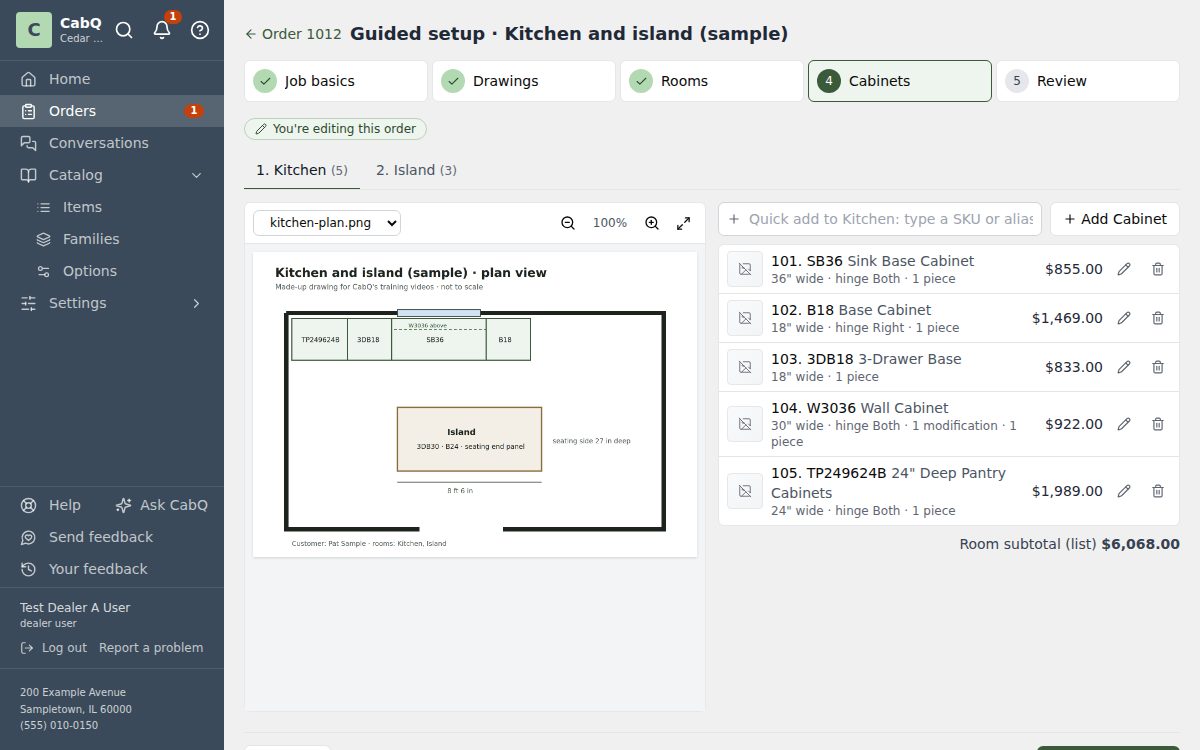
- Guided orders. A new order walks them through the job, the customer, each room and its cabinets, one step at a time.
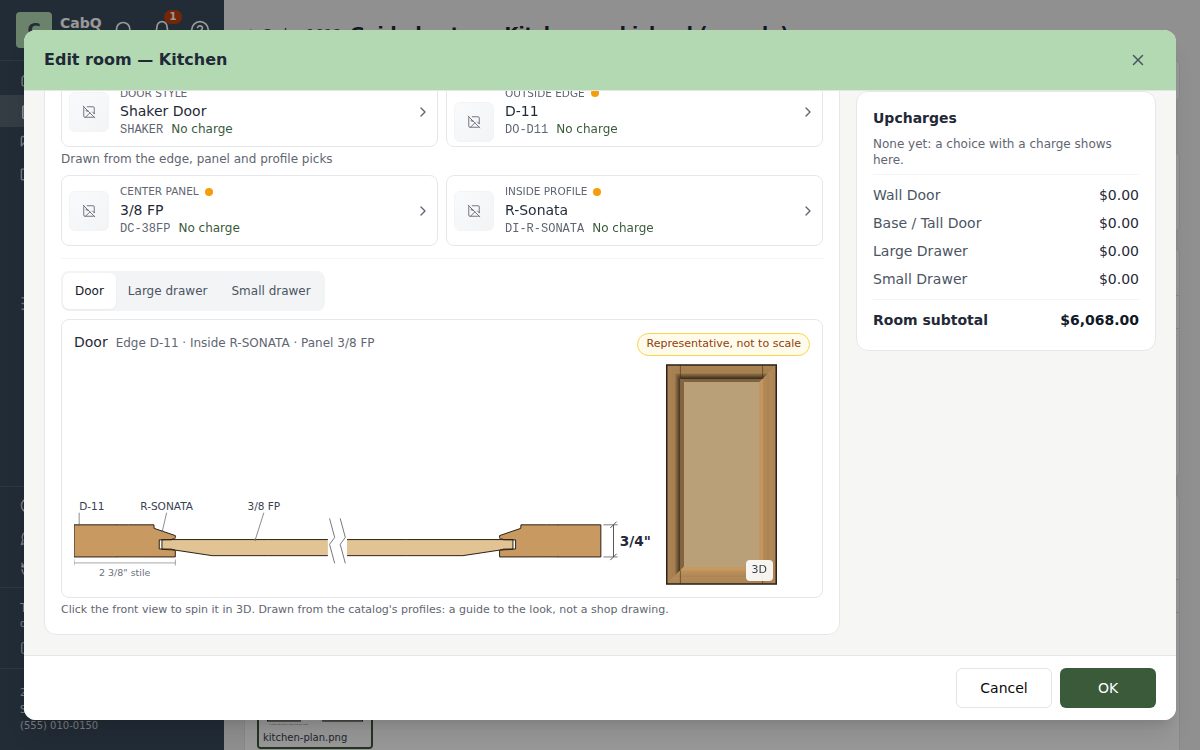
- Rooms with the door drawn. They choose wood, finish and door style from your catalog. The door drawing changes as they choose.
- Quick add. A few letters of a cabinet's code or description, then Enter, and it's on the order.
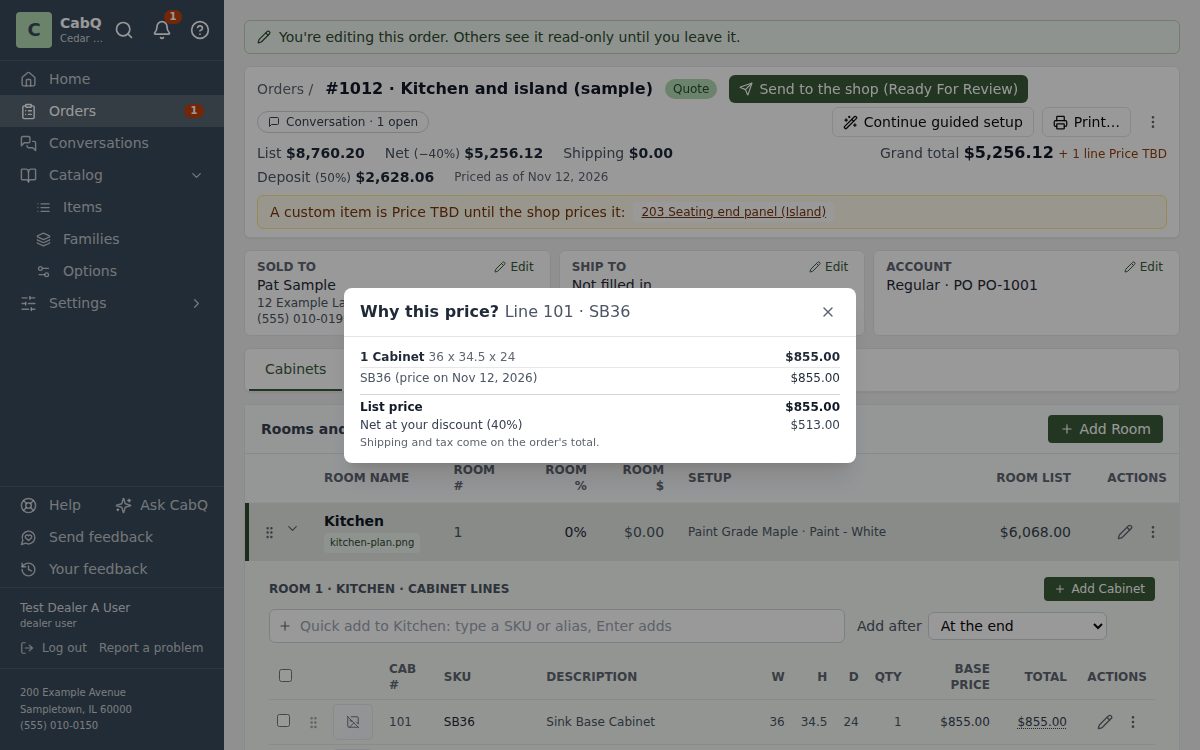
- Prices as they go. Every line is priced from your catalog and your rules as it's added. Why this price? shows each step.
- Checked before it's sent. Before an order goes to your shop, CabQ points out anything still missing.
- Sign on screen. Dealers review the acknowledgement and sign it, room by room.
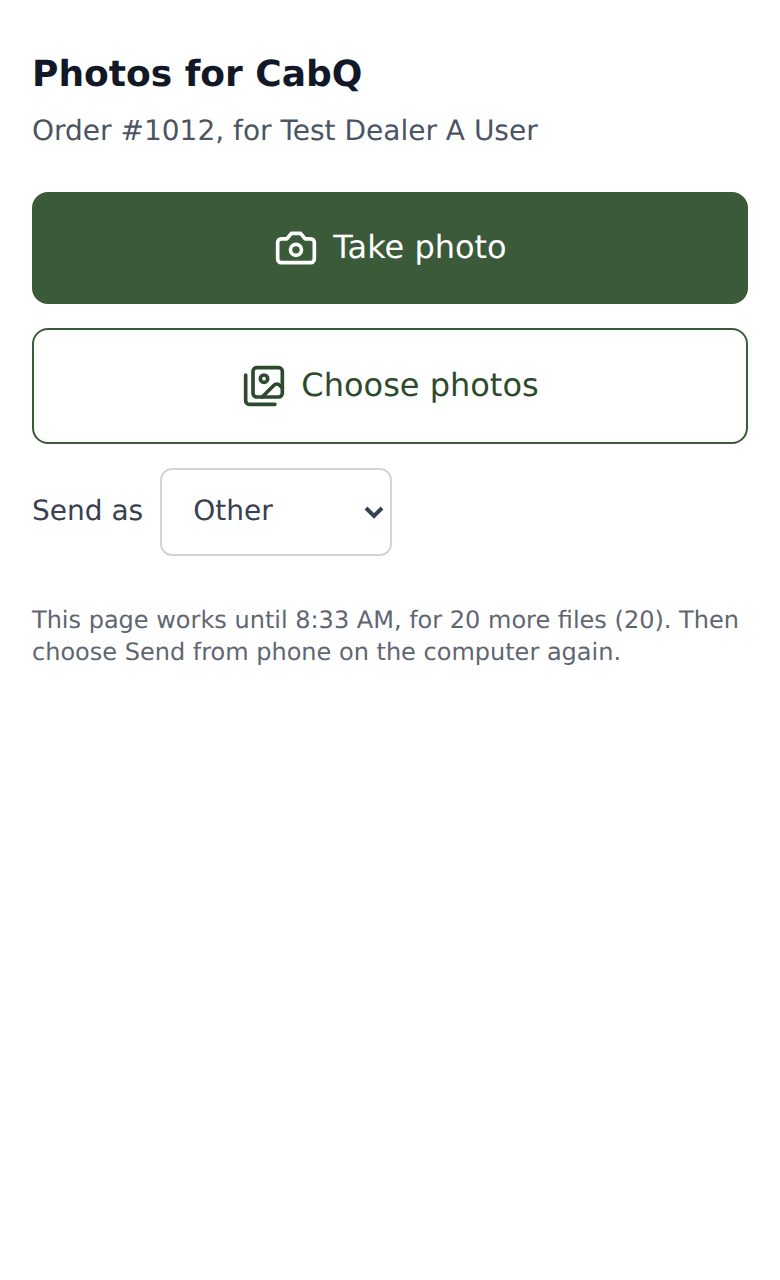
- Photos from a phone. Signed in on a phone or tablet, Take photo adds the picture to the order or a message straight away. At a computer, scan a code (or have the link emailed to you) and take the picture: the phone doesn't need to sign in.
- Sketches, drawn together. Sketch a wall or a corner on the order. When the shop has the same sketch open, each sees the other's strokes as they draw.
For your shop staff
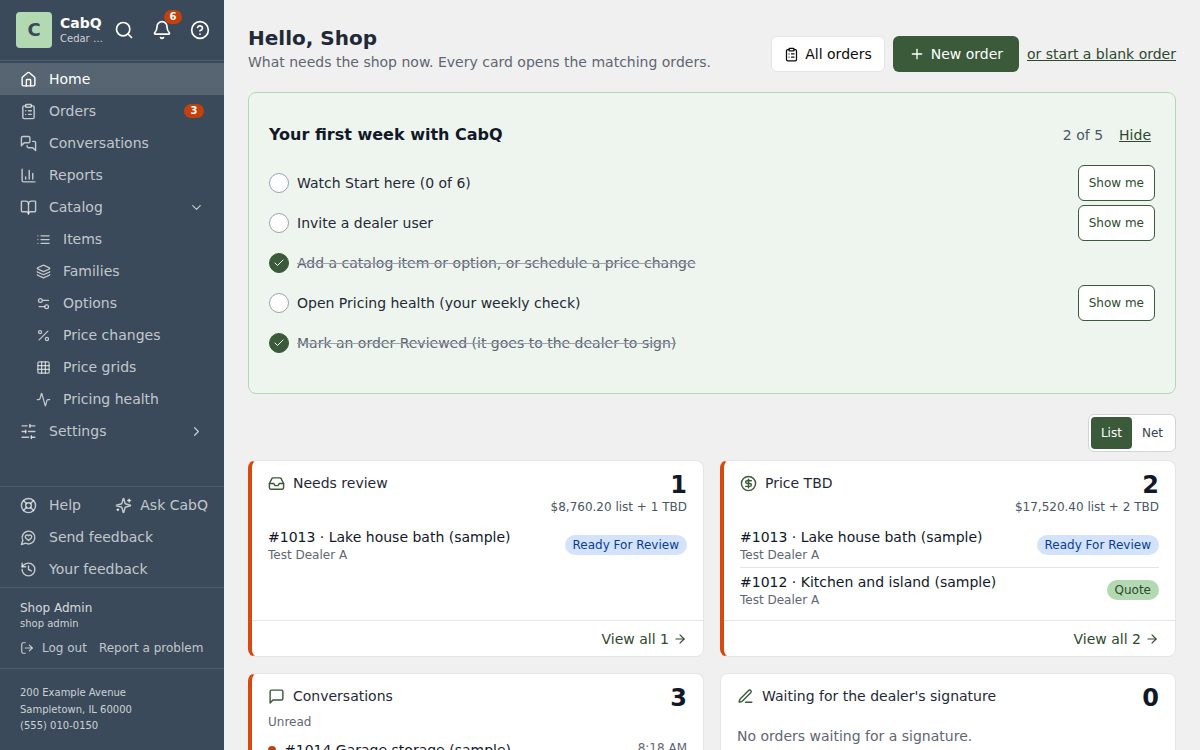
- One work queue. Orders to review, custom items to price and orders waiting for a signature, on one Home page.
- Price checks. Lines worth a second look are flagged before an order goes out.
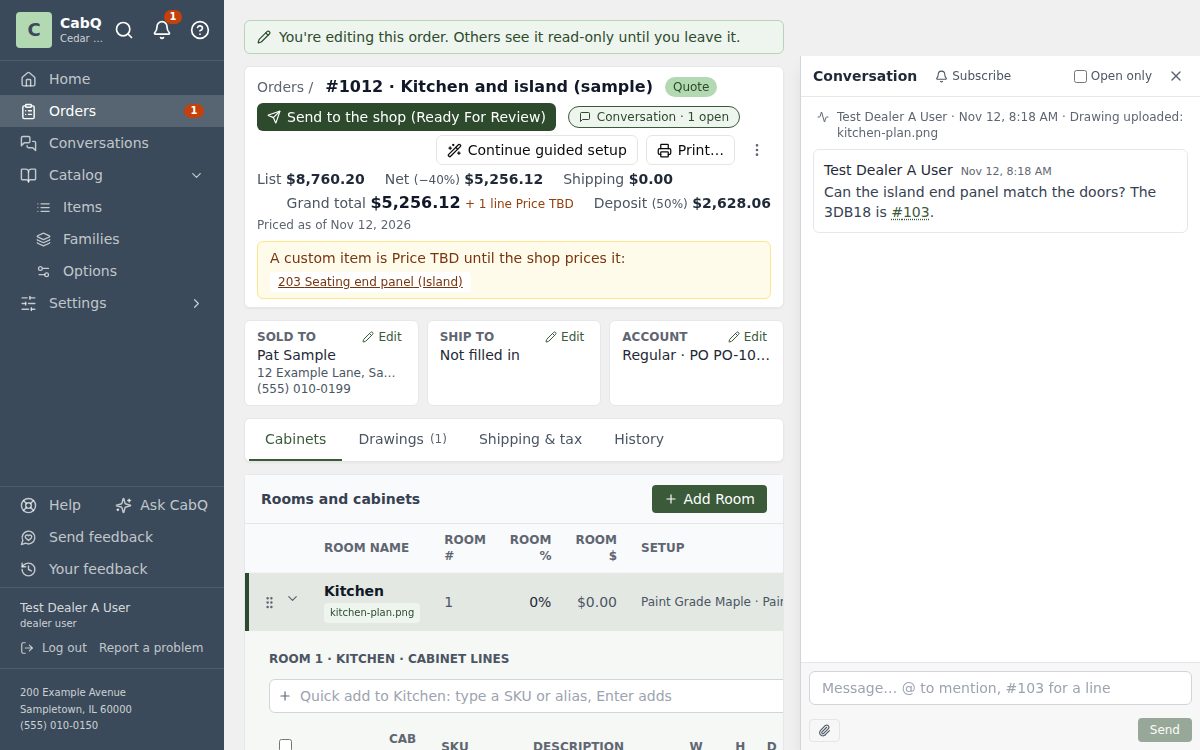
- One conversation per order. Comments on a line, a room or a spot on a drawing, with replies that let the right person know.
- Mark up drawings. Arrows, boxes and notes on a floor plan or a photo, saved beside the original.
- Your own steps. Orders move through the statuses you set, and dealers always see where an order stands.
- Mozaik export. An acknowledged order exports to Mozaik as one order file per room, each in its construction's Mozaik library.
- Trim order list. Trim the shop buys is left out of the Mozaik files and listed per order, with total lengths and sticks, to print or save as a spreadsheet.
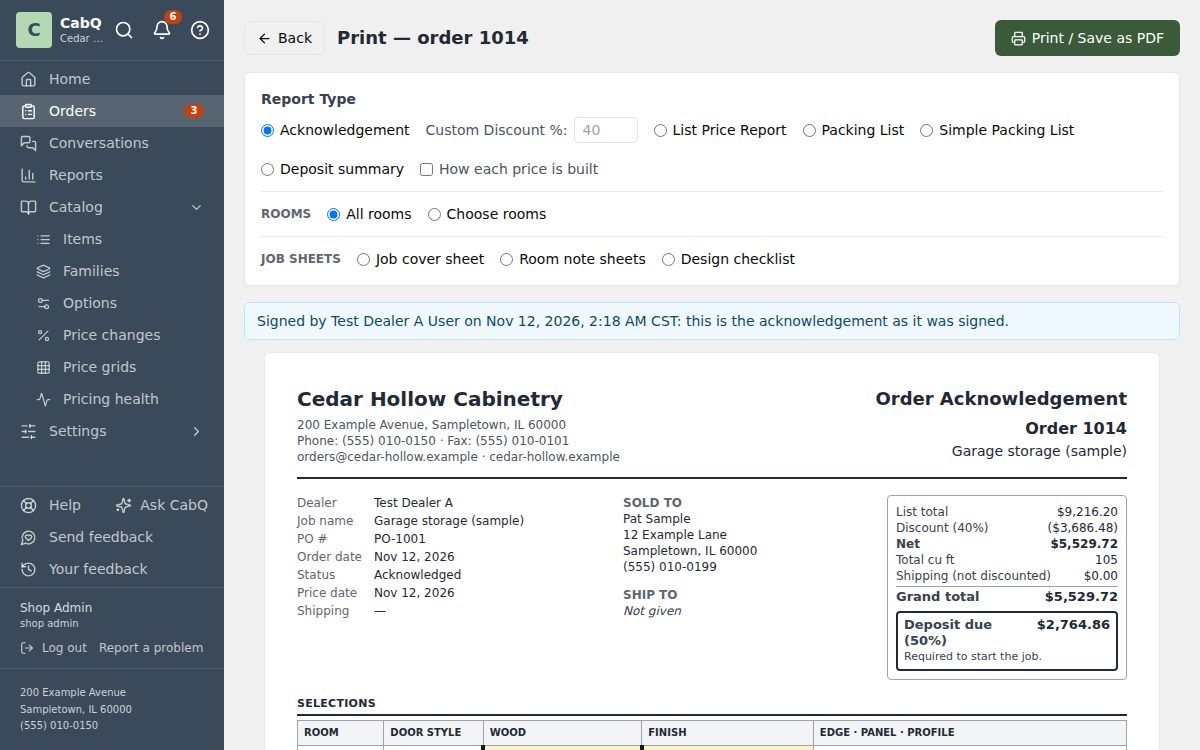
- Print what you need. The acknowledgement, packing lists, a job cover sheet and room notes, ready to print or save as PDF, for the whole order or just some rooms.
- Deposit sheets by email. When an order is acknowledged, the deposit due goes by email to the addresses the dealer chose.
- Orders as CSV. Any order downloads as a CSV file with its rooms, options, sizes and prices, for any program that reads a spreadsheet.
For shop admins
- Your catalog. Items, families, options and door profiles, with price changes dated ahead.
- Dealers and their people. Each dealer's discounts, users and where their acknowledged orders are emailed.
- Pricing health. Missing prices and pricing problems in one place, each linked to where it's fixed.
- Reports. Bookings by month, sales by dealer, and where orders are waiting, for any date range.
- Your branding. Your name and logo on the sign-in page, in the app and on its phone icon.
- Sign-in protection. Wrong passwords pause one account from one address, never for long; you see every sign-in and failed attempt, and unlock or sign anyone out.
- Oversize tiers. Set what a cabinet costs when it is made wider, taller or deeper than standard, or load the tiers from a spreadsheet.
For everyone
- Two-step sign-in. A code from an authenticator app after the password, with recovery codes for a lost phone. Required for shop admins, optional for everyone else.
- Works on any device. On a computer, a tablet or a phone, in the browser, and it can sit on a phone's home screen.
- Help built in. Ask CabQ answers questions in plain words, and a short Start here course shows each role its tasks.
- Notifications. In CabQ, by email or on the phone, for what each person chooses.
- Sign out everywhere. See every browser and device you are signed in on, and end them all at once. A shop admin can do the same for anyone.
- Long lists, a page at a time. Orders, the catalog and other long lists show 25 to 200 rows a page, with the page controls above and below. CabQ remembers the size you pick, and Back returns to the same page.
Questions
What does CabQ replace?
Order forms sent by email, phone or fax, retyping orders into your own software, and looking up prices by hand. Dealers enter the order once, and your shop works from it.
How do dealers get access?
You invite each dealer's people by email. They set a password and see only their own company's orders.
Does it work on phones and tablets?
Yes, in the browser. It can also sit on a phone's home screen with your shop's icon, and send notifications there.
Does it work with Mozaik?
Yes: an acknowledged order exports as a Mozaik order file.
Where is our data, and who can see it?
On CabQ's own server. Each dealer sees only their own orders, and your shop's internal notes stay internal. The privacy page says what is kept and why.
How do we get started?
Request a demo below. We'll show CabQ with your kind of orders and talk through bringing in your catalog.
Request a demo
We'll get back to you by email. Nothing is set up until we talk.